
Alpha Mode and Scale Mode are two options that are available from the ‘other’ section of the actions menu


Alpha mode allows you to add transparency to game windows by using the mouse wheel. Drag the icon into a hot bar slot, and click on it to toggle the mode on. Click on the top bar of the window you wish to change and scroll down to increase transparency, scroll up to restore visibility. Click on the the icon in the hot bar to toggle the mode back off when you are finished.
Scale mode allows you to individually scale most game windows. Drag the icon into a hot bar slot and click on it to toggle the mode on. Click on the top of the window you wish to change. Pictured below, a default backpack size with a backpack enlarged using scale mode and a default hot bar with a set of hot bars scaled down using the mode (click on the images to see them at full size). Click on the icon in the hot bar to toggle the mode off when you are finished.
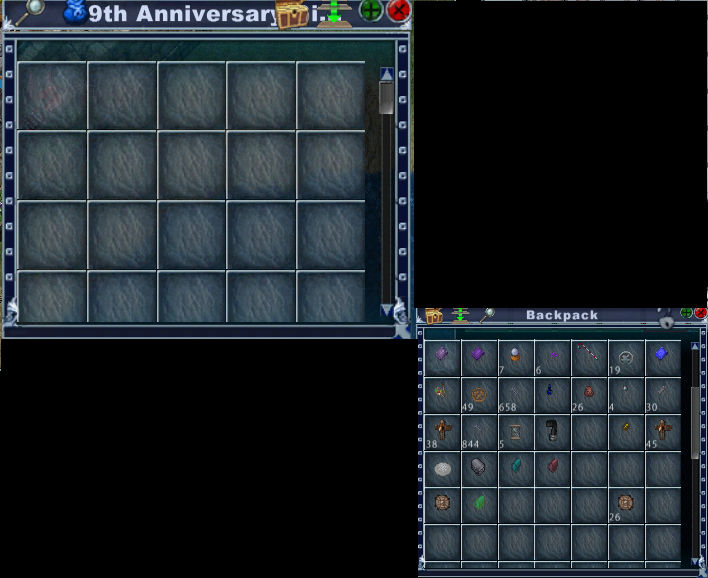
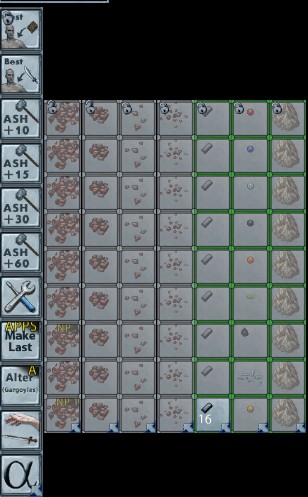
These modes can be used on windows of containers , hotbars, healthbars and the overhead map
They can not be used on gumps having a menu list such as crafting gumps, transporter items, special containers like Davies locker, jewelry box etc.